
The List of Pre-installed Apps on OPPO Smartphone
When you get a new phone, it usually comes with some apps already installed. These are known as built-in apps or bloatware, and it's not just OPPO smartphones that have them, most phones do.
Bloatware refers to apps that were there from the start. Many users find these apps annoying because they take up space on your phone’s memory and often send unwanted notifications or ads. Unfortunately, some of these apps are essential and cannot be deleted without causing problems to your phone’s system.
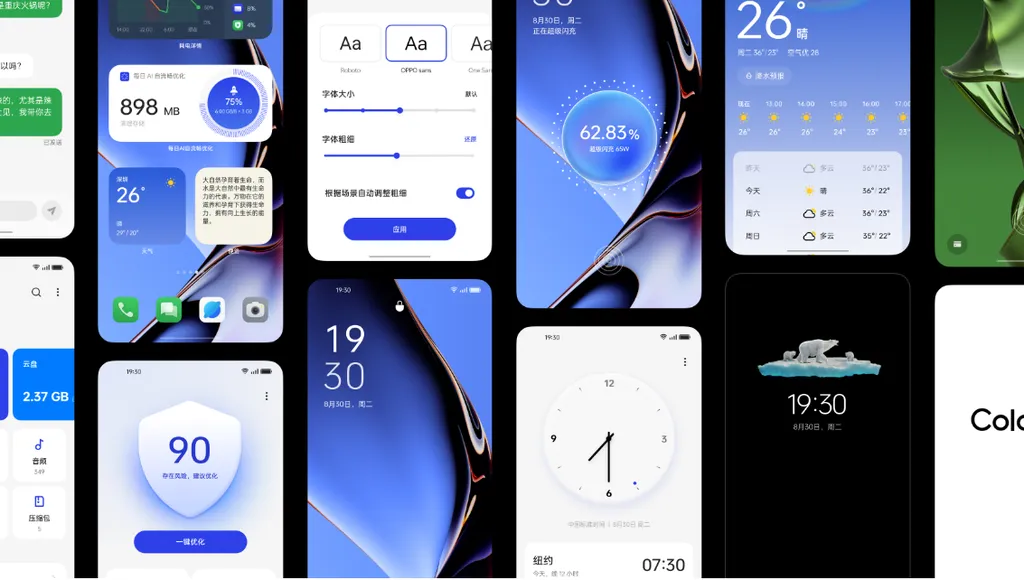
Before you think about removing these built-in apps, it’s important to understand what they do. Here’s a look at some of the key apps that come pre-installed on OPPO phones, many of which are part of the ColorOS system, the interface that OPPO uses. For a full rundown of these apps, keep reading.
OPPO Bloatware

- Oppo App Market
This app serves as an alternative to the Google Play Store. You can search and download a variety of apps, both free and paid, securely since it's a built-in feature.
- Music App
Use this app to manage and play your music files stored on your OPPO phone. It also lets you play recordings made through the phone’s recorder.
- User Guide
This app provides guidance for OPPO users. It includes easy steps, shortcuts, and tips to make the most of your phone’s features.
- Browser Bookmarks
With this app, you can save and manage website links in your browser for quick access, allowing you to revisit sites without re-typing the URL.
- Search Widget
This tool helps you perform internet searches using keywords. It also makes accessing websites straightforward and fast.
- Calibrate Time Zone
This app lets you adjust your phone's date, time, and time zone settings. You can set alarms, timers, and even keep track of time in different cities or countries.
- OPPO Account Services
This app consolidates all the services offered by OPPO, giving you control over system settings related to your OPPO account right from your phone.
ColorOS Bloatware
- Alarm App
This app helps you remember your schedule, like waking up in the morning. You can customize the alarm tone to your liking.
- Smart Assistant
This app lets you ask questions and get answers in text or voice in any language, making it a handy tool for everyday tasks.
- Clone Phone
Use this app to transfer data quickly and safely between devices. It handles everything from contacts and messages to system settings and apps.
- Calculator
Just as the name suggests, this app serves as a calculator for handling all your basic math needs.
- Kid Space
This app makes your phone child-friendly by restricting access to certain functions, limiting usage time, and more, ensuring safety when kids are using the device.
- OPPO Cloud
This app provides secure cloud-based storage, where you can keep various files such as photos, videos, contacts, and documents safely.
- Compass
This app is very useful when you need to find your way in a new place. It provides accurate geographical coordinates.
- File Manager
This app helps you organize your files, you can create, open, and edit various types of files including photos, videos, documents, and audio.
- Floating App Window
This feature allows you to have apps float over others. For instance, you can reply to messages on WhatsApp while playing a game without needing to close either app. This means you can work with two apps simultaneously.
- Focus Me
Ideal for those who need to concentrate, this app blocks notifications from selected apps. It helps you stay focused by minimizing distractions.
- Gallery App
This app works as a gallery for storing and viewing photos, videos, and audio files on your OPPO phone. It also includes tools to edit photos right within the app, saving you the need to download additional software. Unlike the File Manager, it doesn't handle all types of files.
- Game Center
This app is a hub for game developers to distribute content and collaborate. It also keeps you updated on any changes or updates to your installed games.
- Device Health Check
This app monitors your battery usage and life. You can adjust settings to optimize battery health and performance based on your needs.
- Music Party
With this app, you and your friends can sync and play the same music track on multiple OPPO phones at once, allowing everyone to enjoy the same song together.
- Phone Cleaner & Antivirus
This app is crucial for maintaining your phone’s performance by cleaning cache, RAM, and managing notifications effectively.
- Screen Recorder
As the name suggests, this app records whatever is happening on your OPPO phone’s screen, useful for capturing live events, classes, or gameplay.
- Secure Pay
This app enhances security for online transactions by checking system security features like captchas and preventing malware or keyloggers.
- Smart Sidebar
This feature makes using your phone more convenient by letting you add shortcuts to your favorite apps, which are accessible with a simple swipe on the side of your screen.
- Voice Recorder
Similar to the Screen Recorder, but for audio only. It records sounds or voices around you at any given time.
- Translation App
Partnered with Google Translate, this app makes translating different languages quick and easy.
- Video Player
This app plays video files on your OPPO phone, functioning like the Gallery app but specifically for videos.
- Wallpaper Selector
Despite its name, this app actually provides weather forecasts for your current location or elsewhere, and can also show predictions for the upcoming days.
These are some of the pre-installed apps or bloatware on OPPO phones. Each has its unique function, but some may disrupt phone use due to ads or frequent notifications.
However, you can delete or disable some of these apps, just be sure you understand their functions to avoid causing issues with your phone.